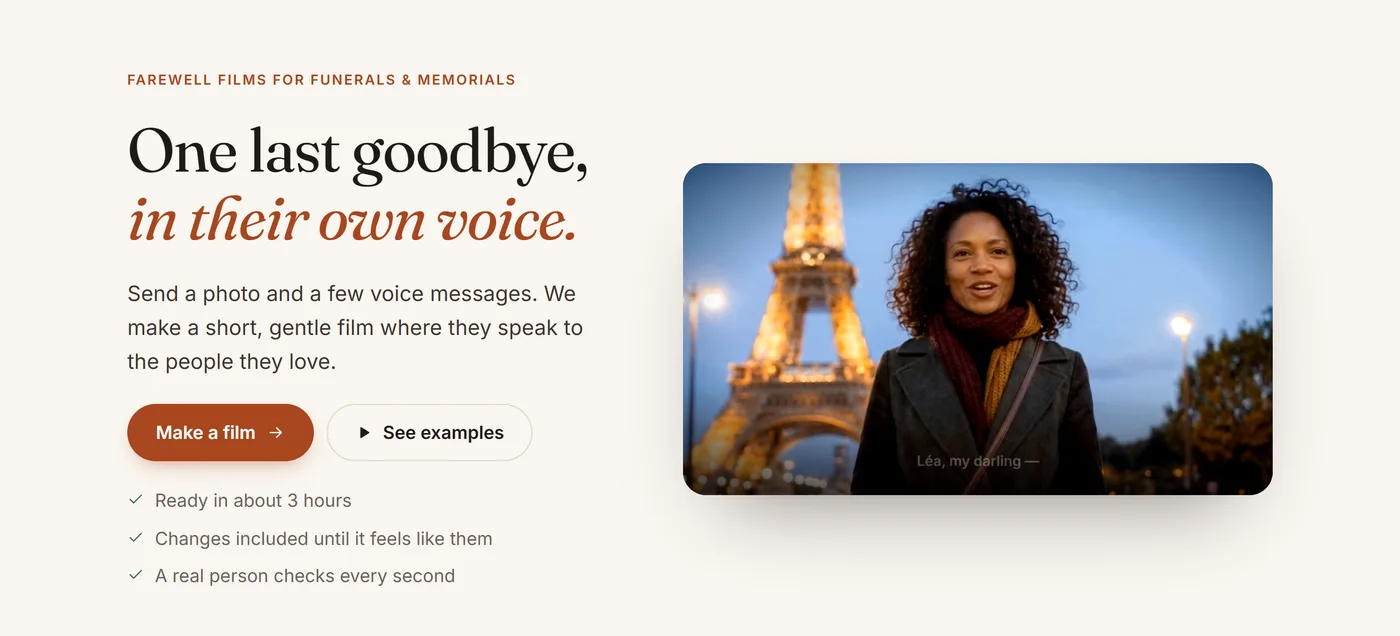
Six simple steps, about 15 minutes, from a phone or a computer. Watch the short video, or follow the steps below — with pictures of every screen.
Before you start, have these ready
5–6 photos from different parts of their life. Phone photos are perfect; old prints can be photographed with your phone.
One clear portrait — face visible, looking at the camera — if you’d like their photo to come alive at the end.
A few voice messages or videos where they speak, if you’d like them to say goodbye in their own voice.
A few words about them. Not sure what to write? We help with that too.
Missing something? Start anyway — everything saves as you go, and you can come back later.
→
Open the site and press “Make a film”
No account is needed to start. Everything you add saves automatically on this device, and you can jump between steps at any time using the bar at the top.
1
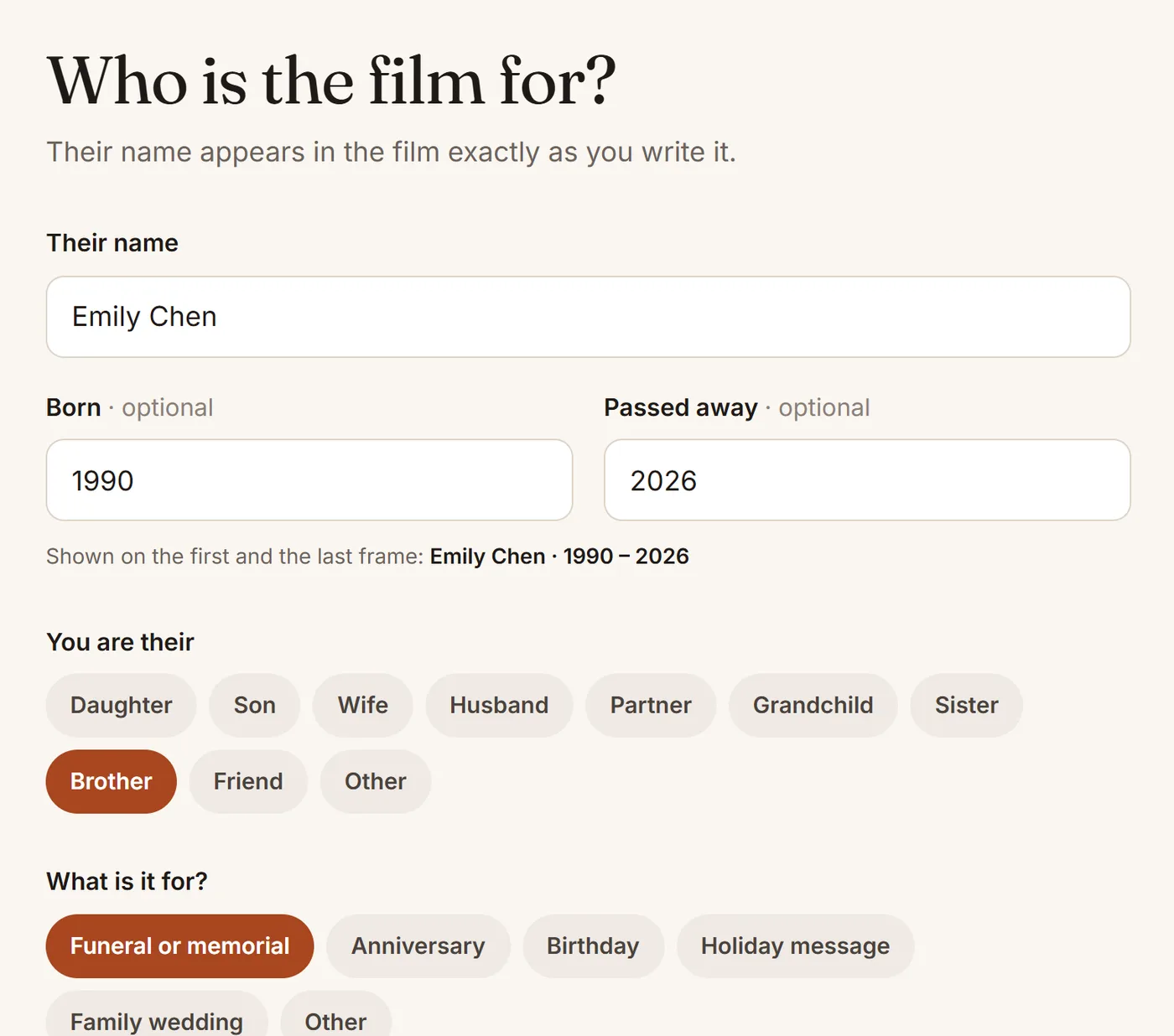
Who it’s for
Write their name exactly as it should appear in the film, and their years if you like — they show on the first and the last frame. Then tell us who you are to them and what the film is for.
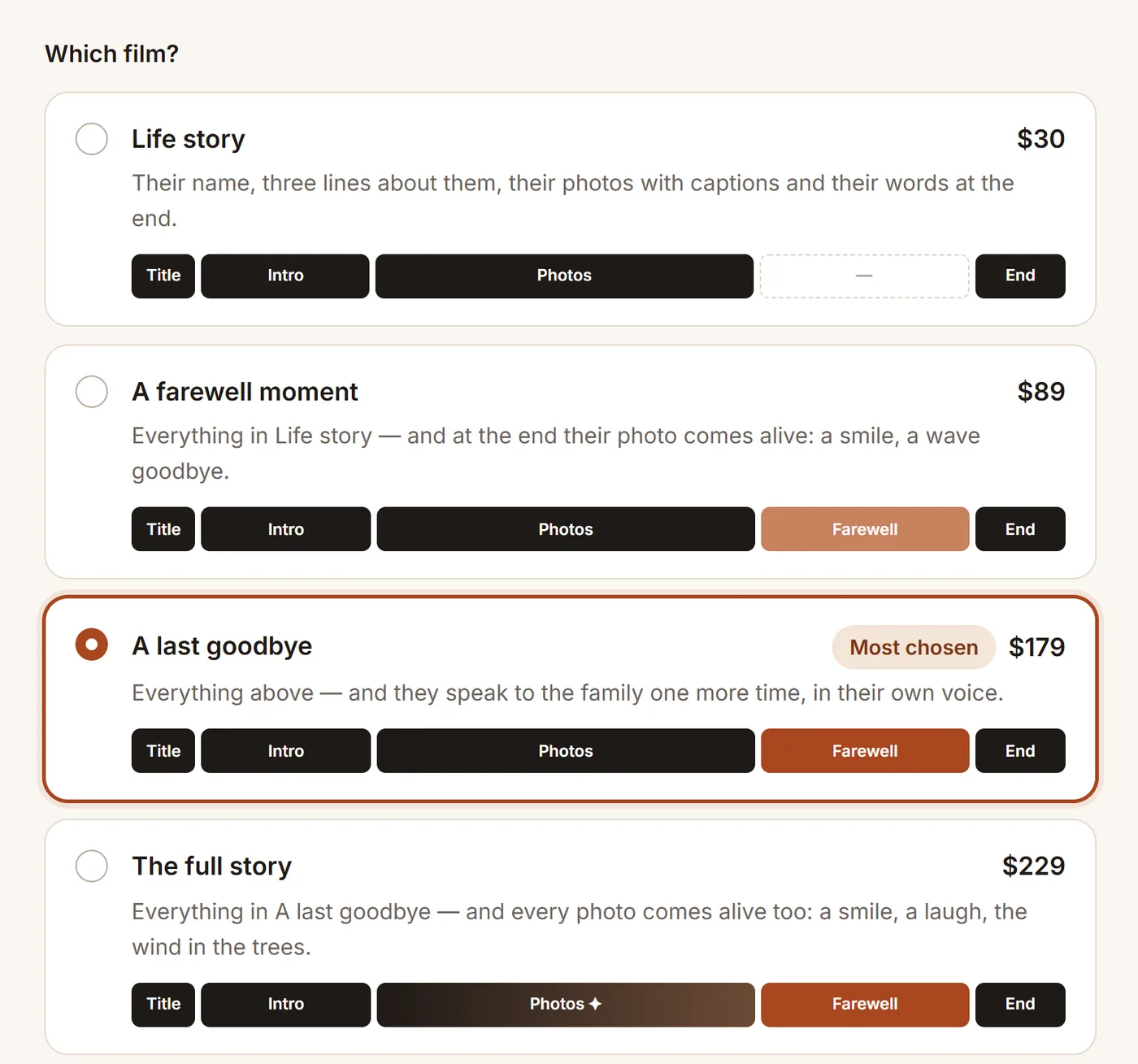
Below, choose the film:
Life story ($30) — their name, three lines about them, their photos with captions, and their words at the end.
A farewell moment ($89) — everything in Life story, and at the end their portrait comes alive: a smile, a wave goodbye.
A last goodbye ($179) — everything above, and they speak to the family one more time, in their own voice.
The full story ($229) — everything in A last goodbye, and every photo comes alive for a few seconds.
2
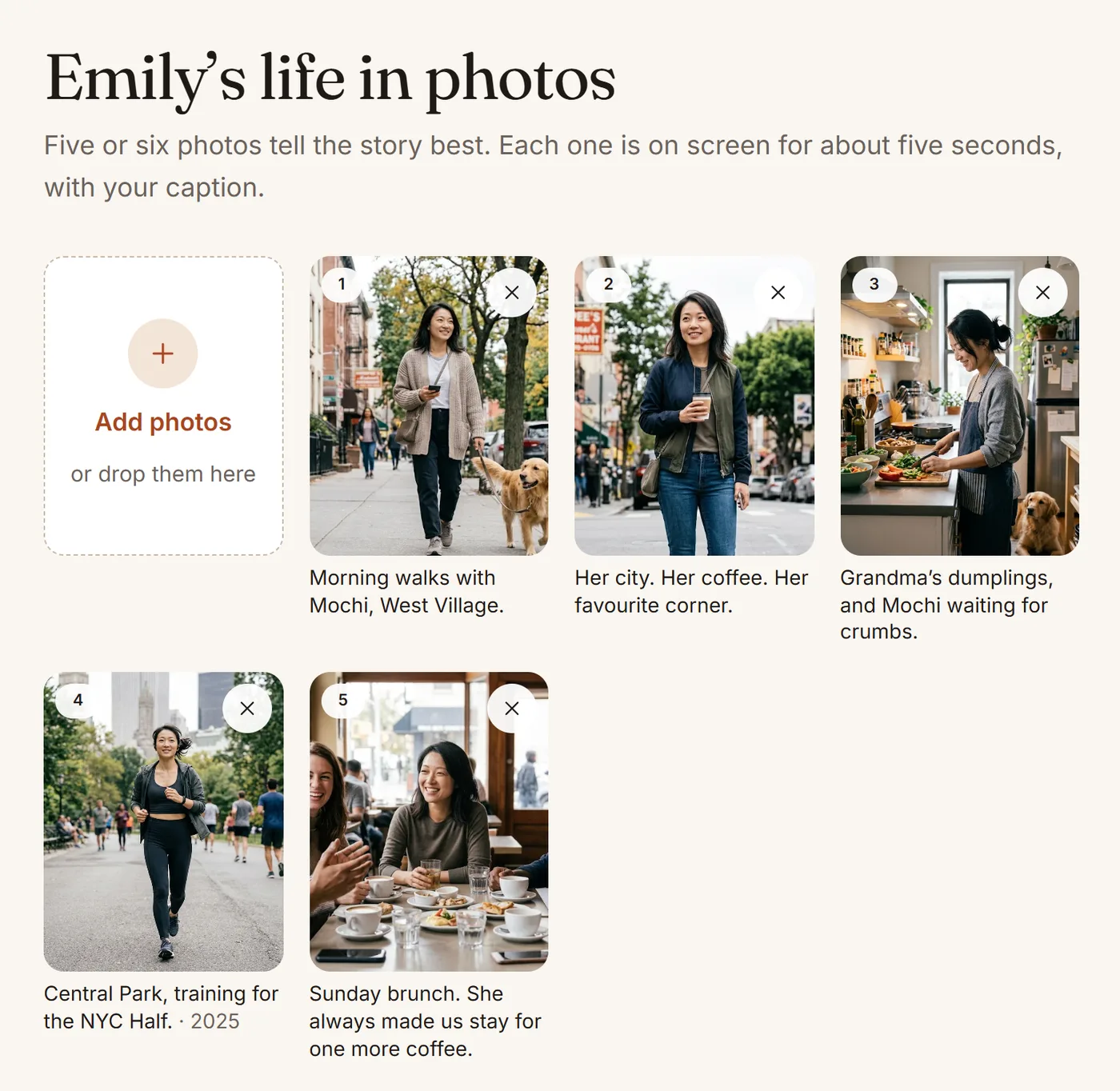
Photos, style and music
Add five or six photos — each is on screen for about five seconds. Drag them into the order you like, and tap a photo to add a caption: a place, a year, a habit. Captions are what make the film theirs; up to about 12 words is best.
Tip: the portrait that comes alive is chosen later, on the Farewell step — so their face comes alive for the first time at the end.
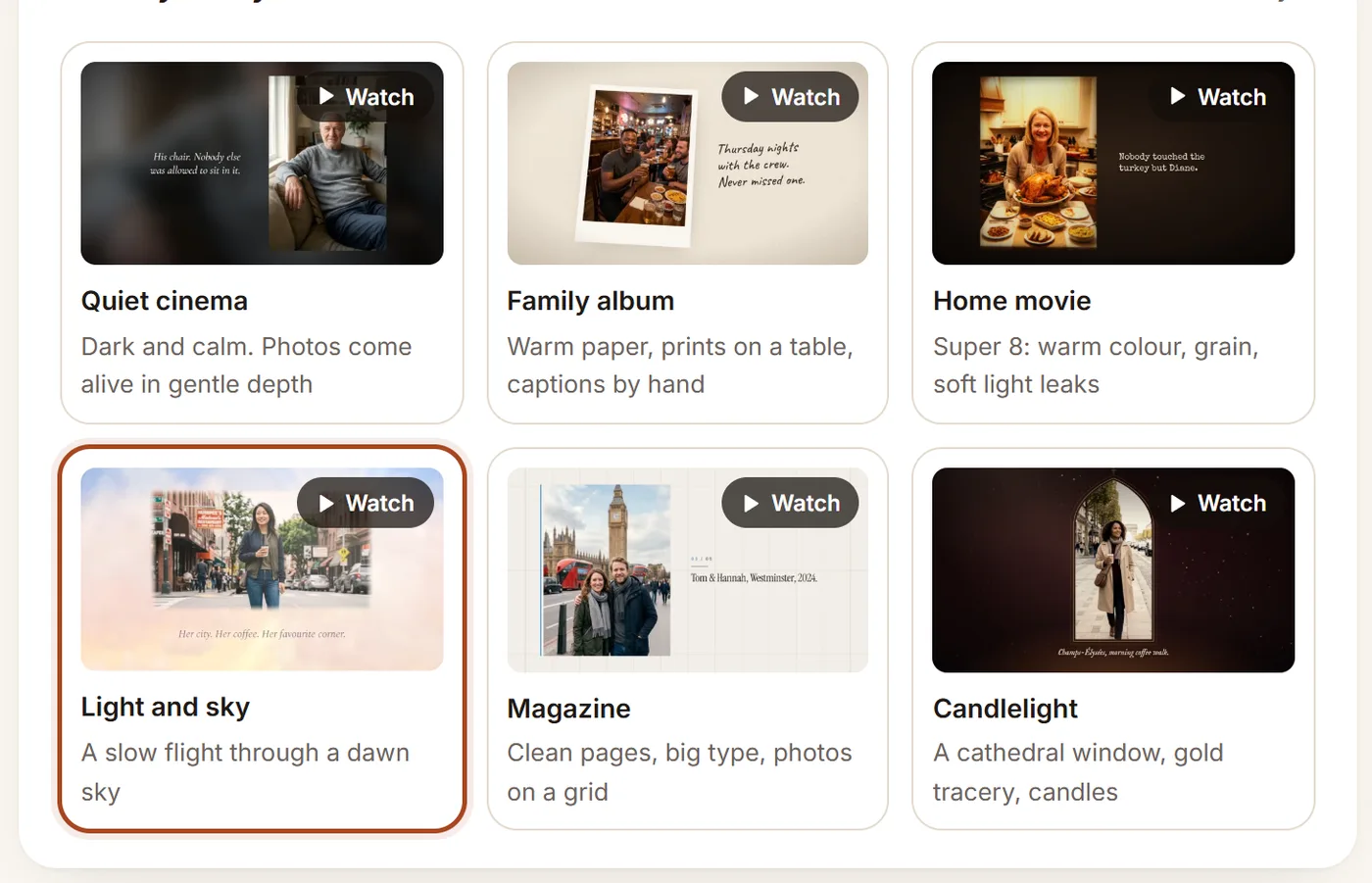
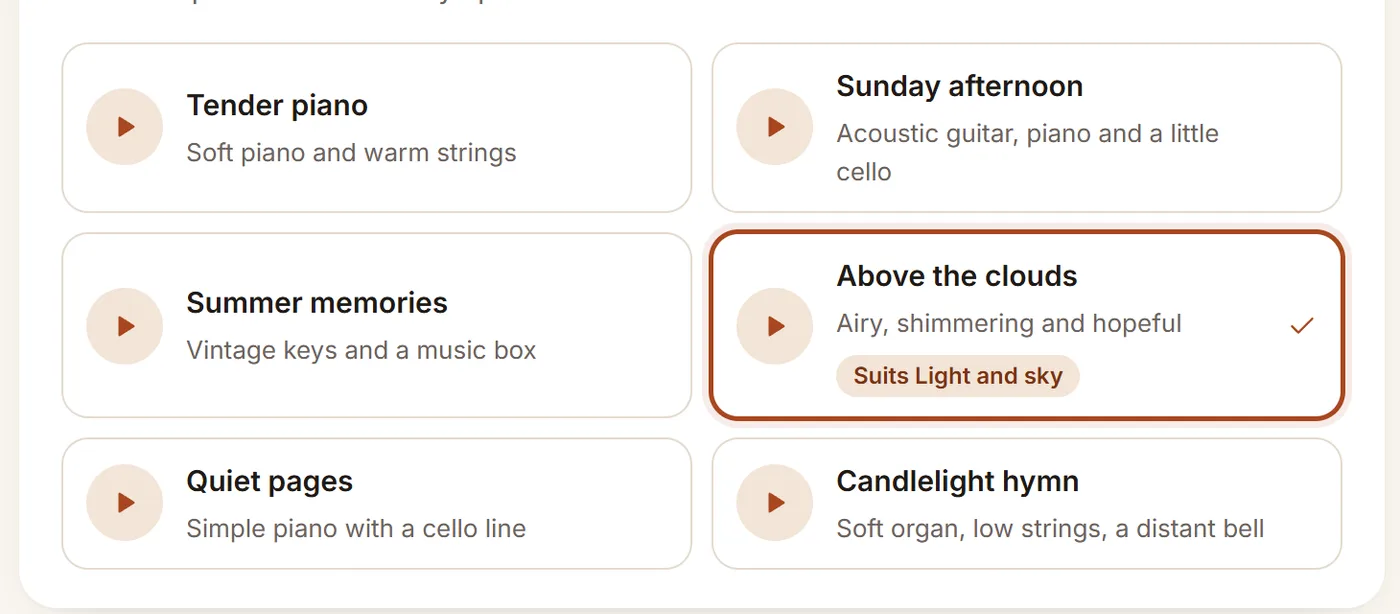
Choose the style of the film. Each style comes with music we think suits it — tap ▶ to listen, and pick any track you prefer.
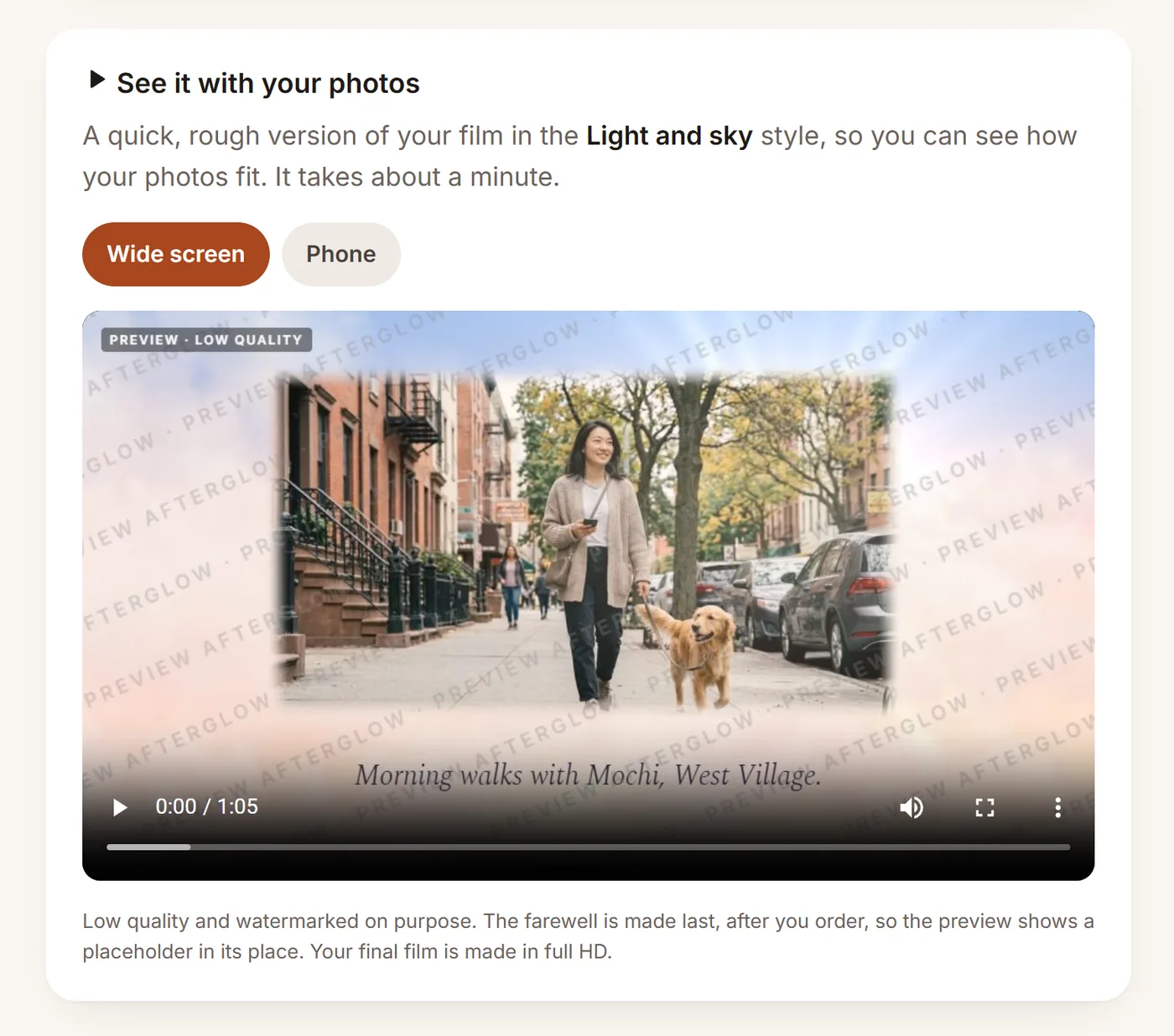
Then press Make a preview. In about a minute you’ll see a quick, rough version of your film with your photos and words, so you can check how everything fits. It is low quality and watermarked on purpose, and shows a placeholder where the farewell will be — the farewell is made after you order.
3
Their story
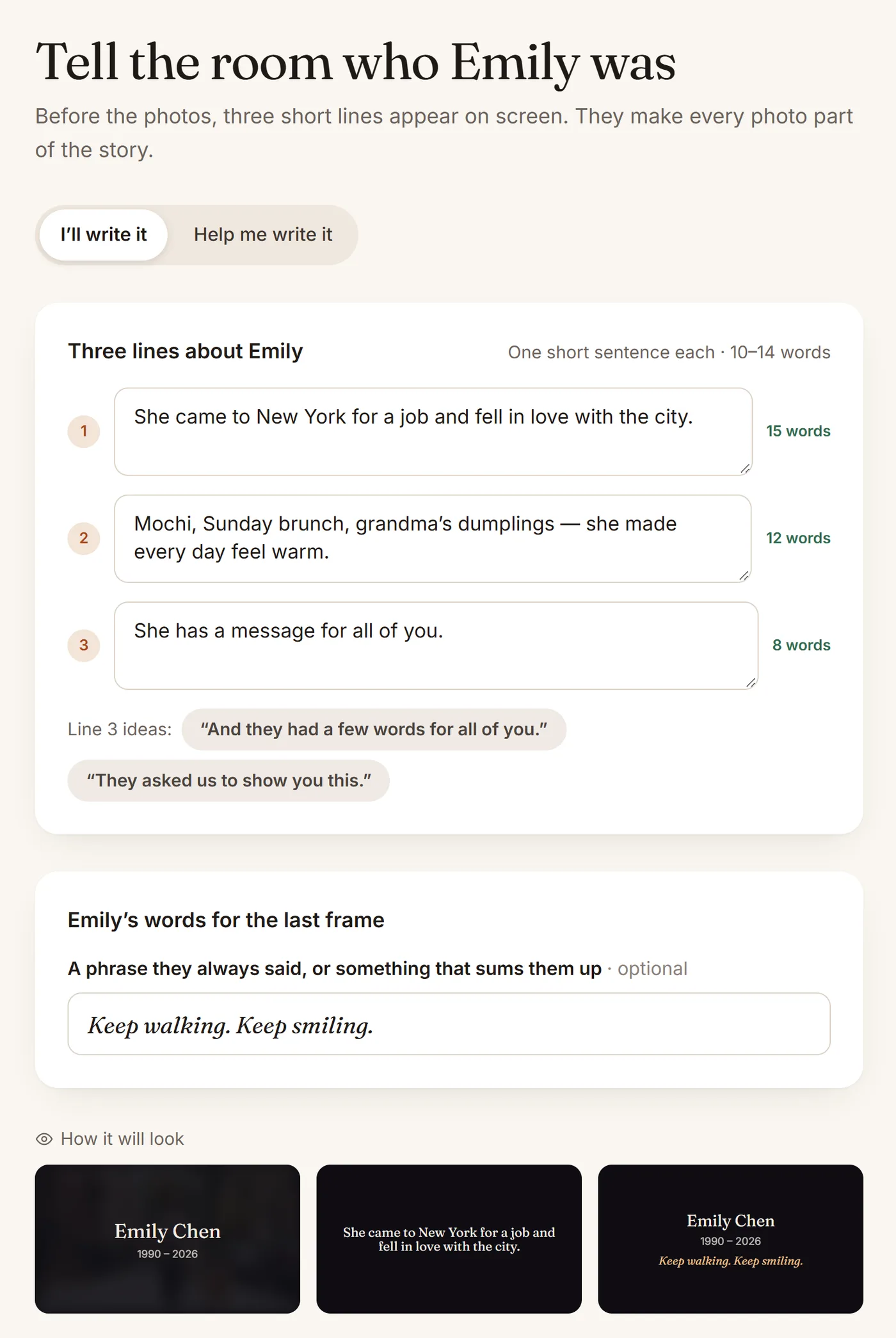
Before the photos, three short lines appear on screen — one short sentence each, 10–14 words. They tell the room who they were. Write them yourself, or choose Help me write it and tell us a little about them; we’ll write the lines with you.
You can also add a phrase for the last frame — something they always said — and see how the title, a line and the last frame will look.
4
The farewell
A farewell moment · A last goodbye
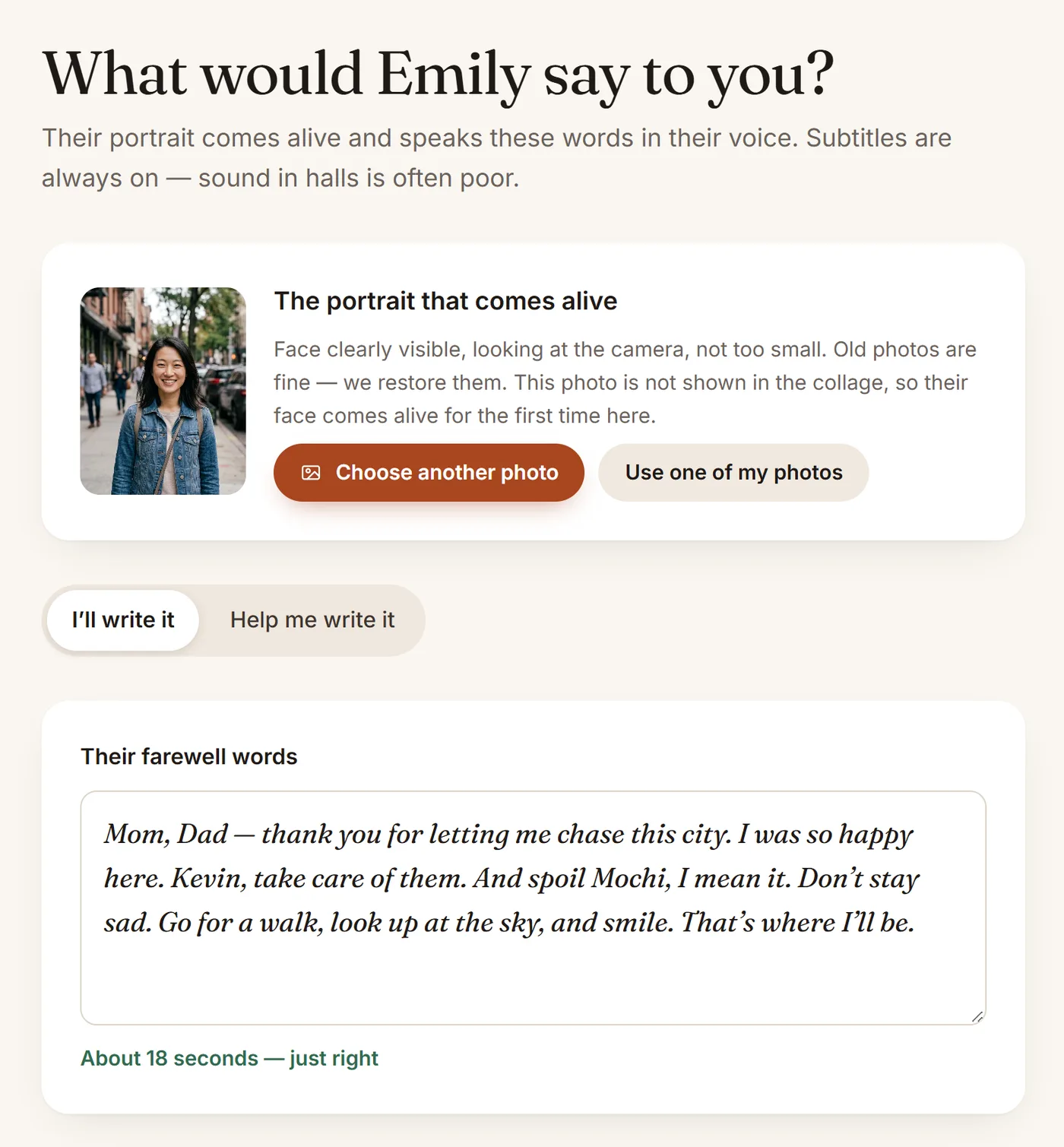
Choose the portrait that comes alive. The face should be clearly visible, looking at the camera, and not too small. Old photos are fine — we restore them. You can upload another photo, or use one of the photos you already added.
For A last goodbye, write the words they will say — about 15–20 seconds is just right — or choose Help me write it. Nothing is made until you approve the text. Choose the language they speak in, and the subtitles.
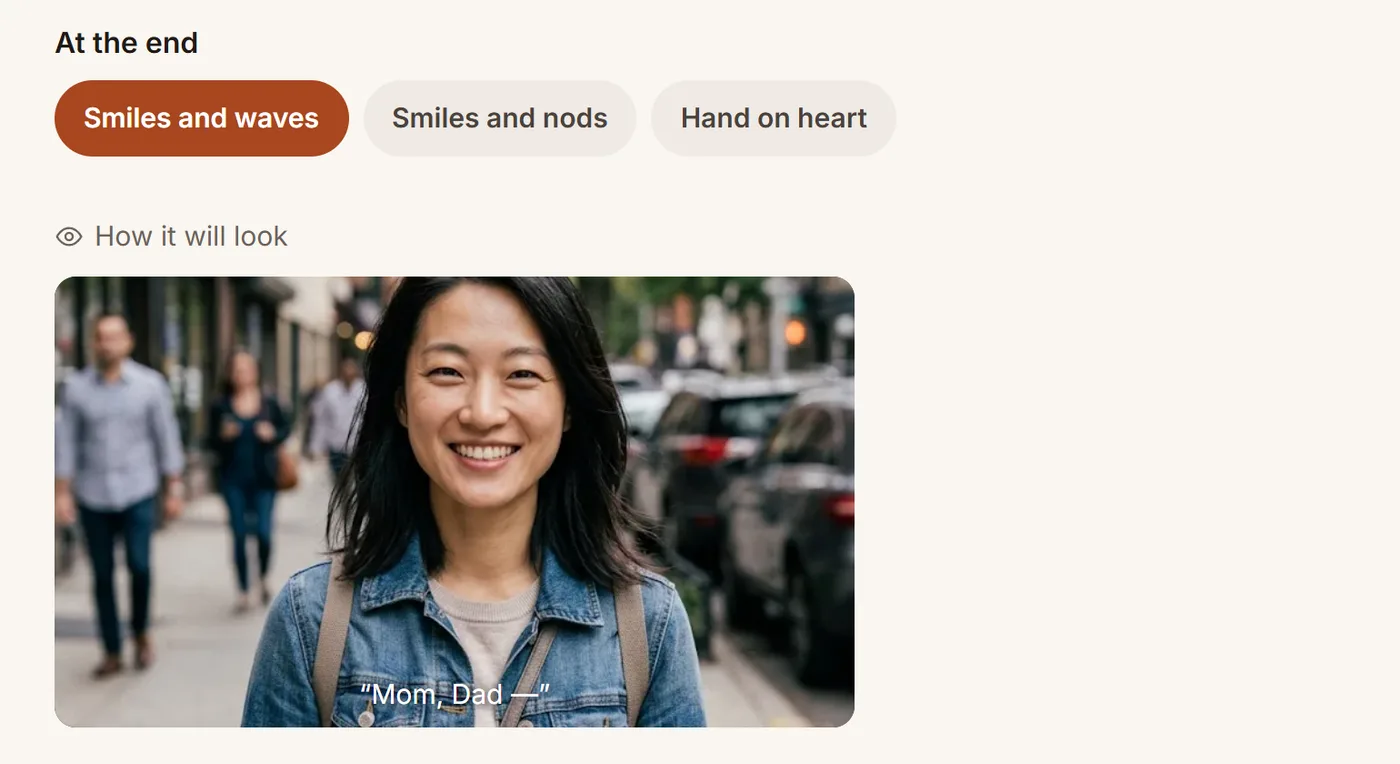
Finally, choose how it ends: a smile and a wave, a nod, or a hand on the heart.
5
Their voice
A last goodbye
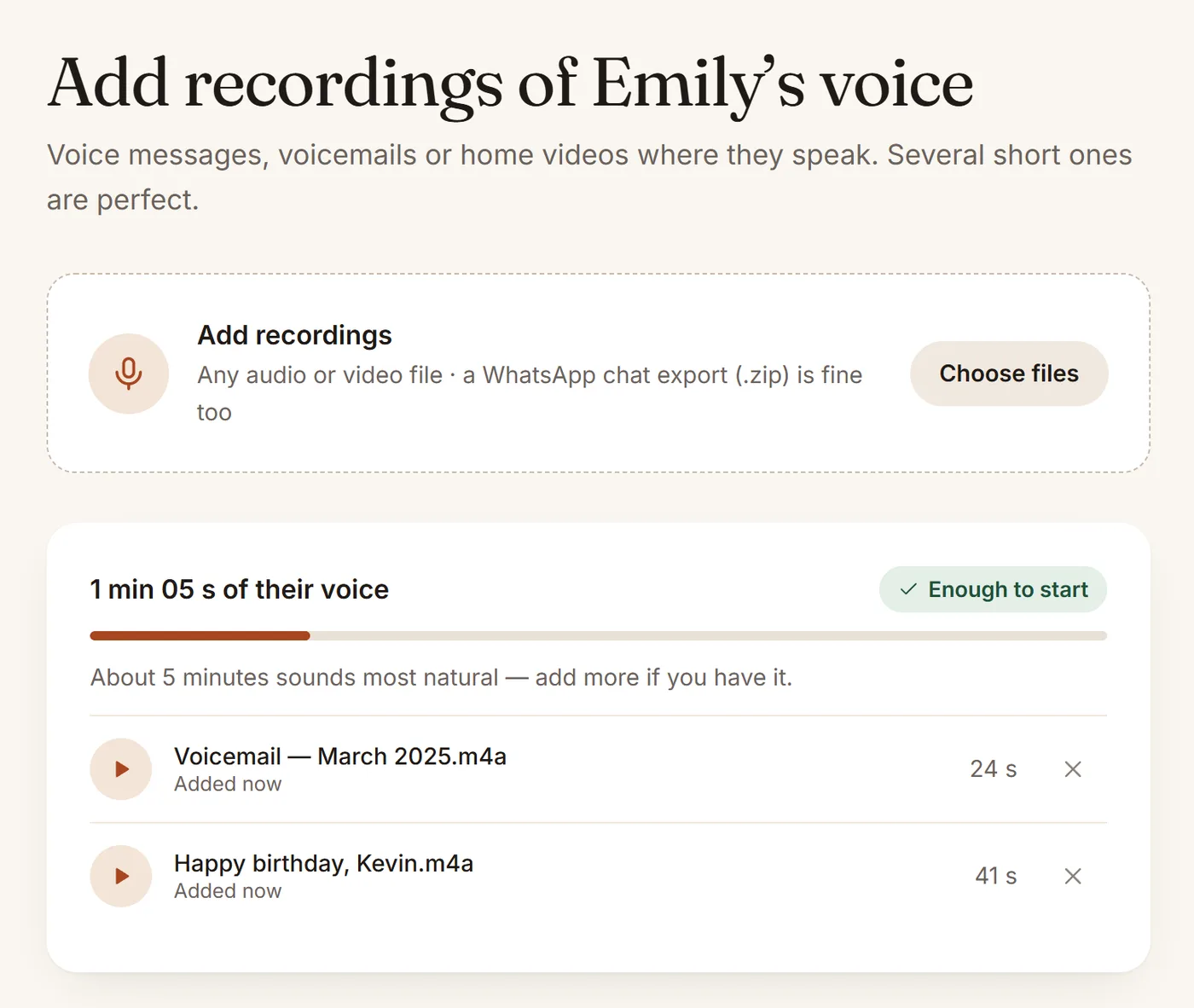
Add recordings where they speak: voice messages, voicemails or home videos. Any audio or video file works, and a WhatsApp chat export (.zip) is fine too. About a minute is enough to start; around five minutes sounds most natural.
No recordings of their voice? Choose “A farewell moment” — a silent goodbye with a smile and a wave.
6
Check and pay
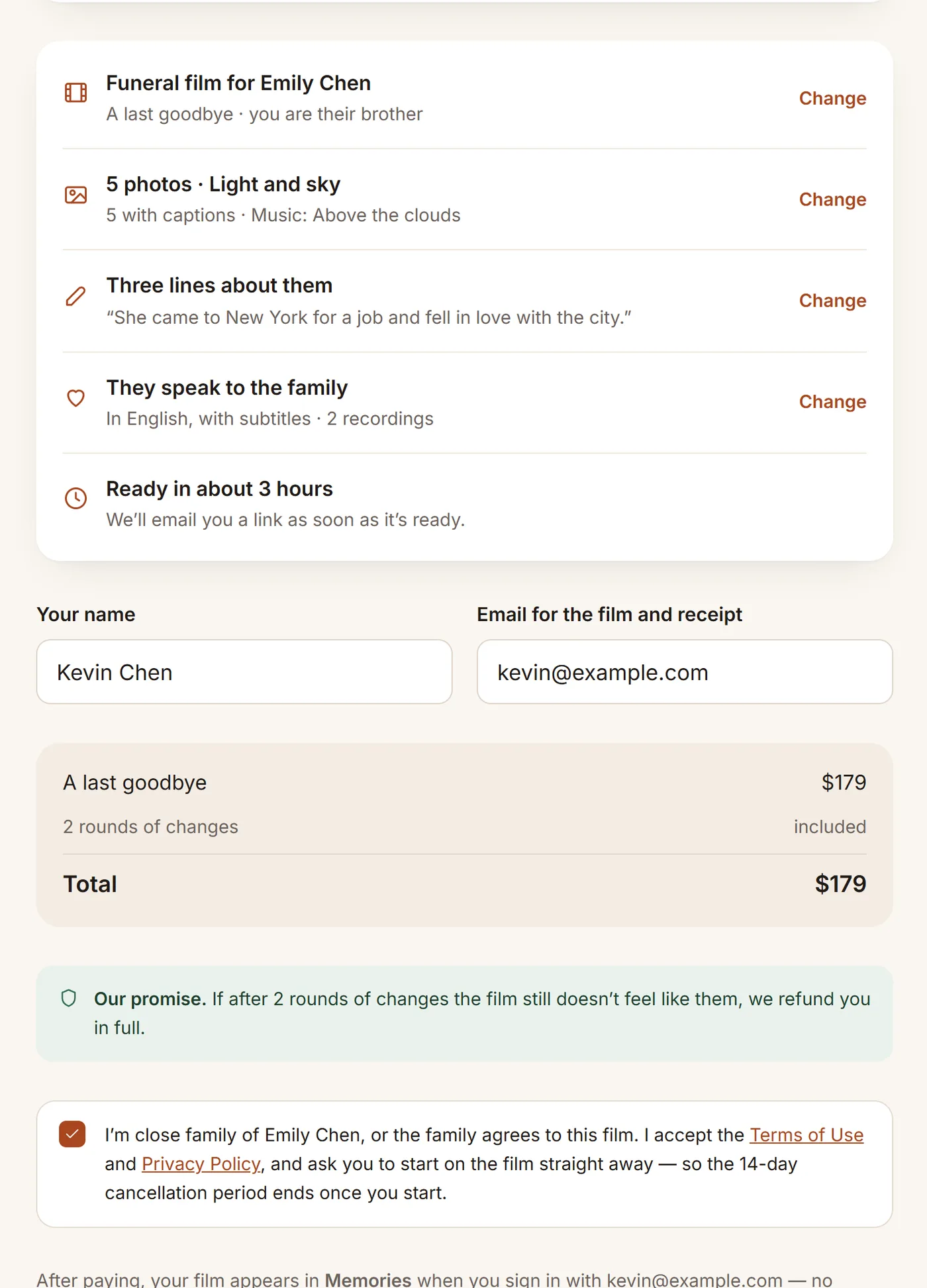
Check everything at a glance — each line has a Change link that takes you back to that step. Add your name and the email where the film should arrive, confirm that you are close family (or that the family agrees), and pay securely by card through Stripe. We never see your card details.
✓
After you pay
We make the film. A person on our team checks every second. It’s usually ready within about 3 hours.
You get an email with a link. Watch the film, download it, share it with family or show it at the service. It is also kept in Memories.
Changes are included. Something not quite right? Ask for changes — 2 rounds are included. If it still doesn’t feel like them, we refund you in full.
Ready to begin?
It takes about 15 minutes, and you can stop and come back at any time.